Table of Contents
- Finding Twitter Accounts to Follow by Location
- How X Search Handles Location
- Filtering Profiles and Targeting Local Influencers
- What to Know Before Trusting Location Signals
- Building a Location-Based Account List That Works
- Your Path to Local Twitter Discovery
Finding Twitter Accounts to Follow by Location
Need help finding accounts to follow based off where they are located? When using the search tool within X it'll not only give you options based around post locations but also allows you to filter through and focus more on the account owners rather than their posts. To get even more specific about who/what is in each location just use advanced search tools such as near:city or within:radius to better hone down the exact geographic location of everyone that fits your criteria.
The importance of location stems from how it reveals what's happening in your neighborhood and elsewhere around town, whether it's business updates or community-related news that people there are putting out into the world. No matter if you're interested in hearing about life in the neighborhood versus region-level updates, X's search filters make it straightforward to curate a feed that reflects where you live or work.
Key Takeaways
- X has great ways to locate accounts to follow based on their location.
- Learn how to discover new users based on location on X. You’ll first need to learn what tools the application itself provides that would allow you to filter locations.
- The first step in finding accounts to follow on X by location uses location-based filtering that will show content from users located nearby to you, according to X’s Help Center.
- Even if the location information isn't always perfectly accurate, X has a set of filters that help us locate nearby accounts in a structured manner.
How X Search Handles Location
X has great ways to locate accounts to follow based on their location. In the Advanced Search section, there is a Places dropdown which can narrow down searches based on the city, state, or country from which posts were sent. If you need even more control over your results, try using 'near' and 'within'. For example, if someone searched for near: San Francisco within: 15mi, they could find geotagged posts from people within that range. The People tab shows all posts written by, about, or mentioning another user in that region, but those results are sorted according to how likely it was to see them through machine learning instead of by distance.
Comparing Location-Based Search Methods on X
| Search Method | How It Works | Best For |
|---|---|---|
| Places dropdown | Filters posts sent from a chosen city, state, or country via Advanced Search UI | Quick browsing of posts from a known place |
near: and within: operators | Restrict results to geotagged posts from a location, e.g., near:San Francisco within:15mi | Radius-based discovery around a city |
| People tab + location queries | Surfaces posts by, replying to, or mentioning specific accounts, ranked by ML | Finding and evaluating accounts connected to an area |
The location filters here are integrated within X's more general operators - part of approximately 50 custom search operators in total - allowing users to pair these operators with other operators such as time periods or languages to make their search requests more precise. That being said, the order they'll appear in isn't based on geographical proximity; rather, how relevant each result is, thus it's possible the nearest account might not always show up first.
Filtering Profiles and Targeting Local Influencers
Learn how to discover new users based on location on X. You’ll first need to learn what tools the application itself provides that would allow you to filter locations. After understanding which filters provide information about where others live, you can begin looking for people located in your preferred area.
Open the Advanced Search tab once you're logged into the site. Filter through the list based on place - cities, states, countries. Pairing up Places along with using the near:city and within:radius operators will help narrow things down even further (e.g., near:Houston within:15mi). The People tab helps find users who've been active in the area recently - either posting messages, responding to others' posts, or referring to their location somewhere else in the conversation. Add relevant keywords and a date window to hone in on recent discussions surrounding a particular local event or topic.
The search-mixer supports around 50 custom operators, according to the documentation on the platform, including location and follower-status filters. Add several parameters in a single query such as keyword + geographic radius + date to zero in on relevant local voices efficiently.
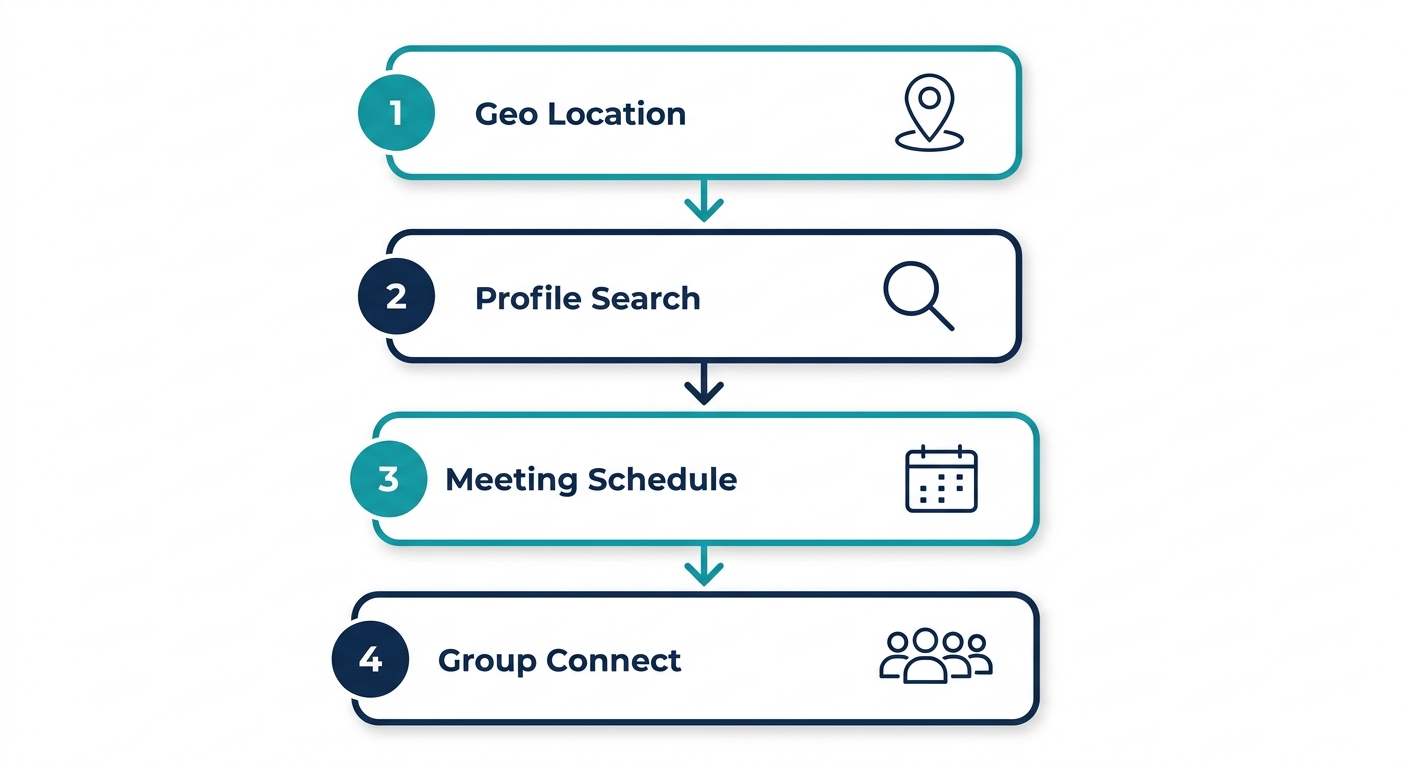
If you have a filtered list of local accounts, then make sure that you don't act upon the location data that you receive until you first verify any information that is present.
What to Know Before Trusting Location Signals
The first step in finding accounts to follow on X by location uses location-based filtering that will show content from users located nearby to you, according to X’s Help Center. While this method may help reveal local voices, there is no promise of relevance or accuracy here.
In Safe Search Mode, additional filters prevent the display of potentially sensitive content and muted or blocked accounts, which may result in the disappearance of certain local results. Location signals depend on data provided either through the user's input or their device, making them more likely to be inaccurate where there aren't many postings or when people have turned off their location service.
Be sure to verify an account’s local ties manually before adding it to a curated list. Look at the bio, look at what the people post recently, what kind of activity they’ve engaged in to ensure that those are the kinds of people representing your local audience. That helps make certain the list is as relevant as possible, and it will help increase the value for everyone involved.
Building a Location-Based Account List That Works
Even if the location information isn't always perfectly accurate, X has a set of filters that help us locate nearby accounts in a structured manner. The recommended method involves using the Advanced Search option, where we can utilize both geographical and people-specific criteria in order to produce consistent results.
- Open X Advanced Search while logged in and enter your target keyword (e.g., "AI marketing").
- In the Places section, select Near you or type
near:Denver within:15mi—swap the city and radius to match your area. - Switch to the People tab to surface accounts, not posts, and scan bios for local relevance.
- Save promising accounts to a dedicated list for later review; these become your seed list for networking.
After assembling a first draft list, continue searching through nearby places to increase the size of your local network. In other words, you can now use location as a filtering mechanism instead of relying upon guesswork - making the whole discovery process more systematic and repeatable. You can repeat this process in different locations to expand your network.
Frequently Asked Questions
Can I use Twitter search operators to find users based on their bio location?
No. Twitter's search does not filter accounts by bio location. You can only filter posts by the location attached to the post using operators like near:city or within:radius.
How can I search for Twitter accounts located in a specific city or region?
Use X’s Advanced Search Places dropdown to select a city, state, or country. Combine it with near:city and within:radius operators, then switch to the People tab to surface accounts in that area.
What are the best methods to filter Twitter profiles by location for local marketing?
Filter by location using X’s Advanced Search Places dropdown and near:city within:radius operators. Verify accounts manually by checking bios and recent posts to ensure local relevance.
How do I effectively target local influencers and brands using Twitter's search features?
Combine location filters with keywords and date windows in Advanced Search. Use the People tab to find active accounts, then save promising profiles to a dedicated list for outreach.
Your Path to Local Twitter Discovery
Knowing how to find accounts to follow on Twitter by location comes down to combining the Places dropdown, near: and within: operators, the People filter, and date windows to surface geotagged posts and accounts in your target area. Once logged in, these filters become your fastest way to build a local network.
If you want your search efforts in the local market to improve, apply these tips for local searches today.
Service provided as-is and as available without warranties.
Explore Local Accounts on the Map
You now know how X's Places dropdown, near: and within: operators, and the People filter work together to surface accounts in a specific area. Building your filtered list is a solid first step toward a stronger local presence. But search filters are only one side of location-based discovery. A map-native approach lets you see and be seen in the exact places that matter to your audience. hashtag.org offers geo-pinned portals that put your brand directly on the map for local discovery. Support responds within one business day, and purchases are backed by a 14-day refund policy. Start putting your location strategy to work with your own map-pinned portal.
Explore Local Accounts on the Map