Table of Contents
- The Foundation of a Successful Referral Campaign
- Before You Begin: Referral Campaign Prerequisites
- Step 1: Define Your Referral Goals and Audience
- Step 2: Set Up Your Hashtag.org Portal for Referral Tracking
- Step 3: Create Your Unique Referral Code or Link
- Step 4: Craft Compelling Referral Messages and Incentives
The Foundation of a Successful Referral Campaign
Understanding how to build a referral campaign begins with a few structural cornerstones. In our partnership program, each partner receives a unique branded portal that serves as the central hub for presenting their brand, attracting visitors, and tracking referrals. Partners earn a percentage of revenue from all sales and network activity generated by their attributed referrals. Automatic attribution instantly links any new user who signs up through a partner’s portal to that partner, so manual tracking is never needed. Payouts are handled automatically and securely via Stripe Connect, giving partners a dependable cash flow without chasing payments. Customisation options, including custom domains and full branding, ensure a cohesive user experience that reinforces the partner’s identity. Our tiered structure, which scales earnings with network growth, offers a free Community tier to get started. However, setting up these elements requires a few essential prerequisites.
Key Takeaways
- Before you move forward designing your referral program's structure and rewards, certain groundwork must be laid.
- There's also what we call an official partner program for hashtag.org (a branded site), where it all starts at register a #name, which becomes the identifier for your partner.
- Once the setup of the portal is complete and you have finished enabling referral tracking in the settings, you will want to go ahead and obtain the ID that can be used to distribute it.
- To maximize engagement, we recommend crafting a message that feels personal and effortless to share.
- After finalizing the messaging and incentives, understanding how to build a referral campaign means creating a structured, fillable template that brings all the pieces together.
Before You Begin: Referral Campaign Prerequisites
Before you move forward designing your referral program's structure and rewards, certain groundwork must be laid. Making sure that the necessary steps have been taken can help protect both the referral program and those who will participate in it.
- Clear value proposition for both sides. Referrers need a reason worth sharing, and the people they refer need a reason worth acting on. We see stronger participation when both incentives are spelled out plainly with no fine print.
- Reliable tracking that attributes every referral. Unique referral links or codes let you credit the right person every time, avoiding disputes and keeping participants motivated.
- Legal and policy groundwork completed before launch. Updated terms of service, a current privacy policy, and published program rules give participants confidence and keep the campaign compliant.
- Share-ready communication assets prepared in advance. Email templates, social media copy, and embedded sharing buttons lower the effort for participants, so more referrals actually happen.
With those prerequisites in place, attention turns naturally to defining specific referral goals and identifying the right audience so the campaign reaches the people most likely to share.
Step 1: Define Your Referral Goals and Audience
Now that you have access to customers' contact information as well as potential rewards for referral campaigns, what should be done next? Establish clear referral campaign objectives. For example, setting specific targets such as how many referred leads each month can generate, desired conversion rate, etc. These measurable goals help you monitor referrals’ quality, tweak any rewards you’re offering.
Next, identify the audience segments most likely to refer your business. High-frequency buyers, long-tenure clients, and vocal advocates are prime candidates. Use customer personas or past purchase behaviour to pinpoint these groups. When you understand how to create a referral program that fits your business, you can craft messaging and rewards that resonate.
If you are asking about how to establish a referral program for my company, it makes things easier if we can agree on some basics early on. It will make configuring the tracking portal simpler when we've decided what our goals are and who our audience is.
Step 2: Set Up Your Hashtag.org Portal for Referral Tracking
There's also what we call an official partner program for hashtag.org (a branded site), where it all starts at register a #name, which becomes the identifier for your partner. Once enrolled, any time someone signs up through your portal, you'll earn commissions.
Connect your Stripe account to enable automated payments for your commissions. The money will be credited according to the schedule defined in Stripe Connect.
Map a custom domain to the portal if you want your customers to be able to register themselves in this process and tie their registrations back to your partner account.
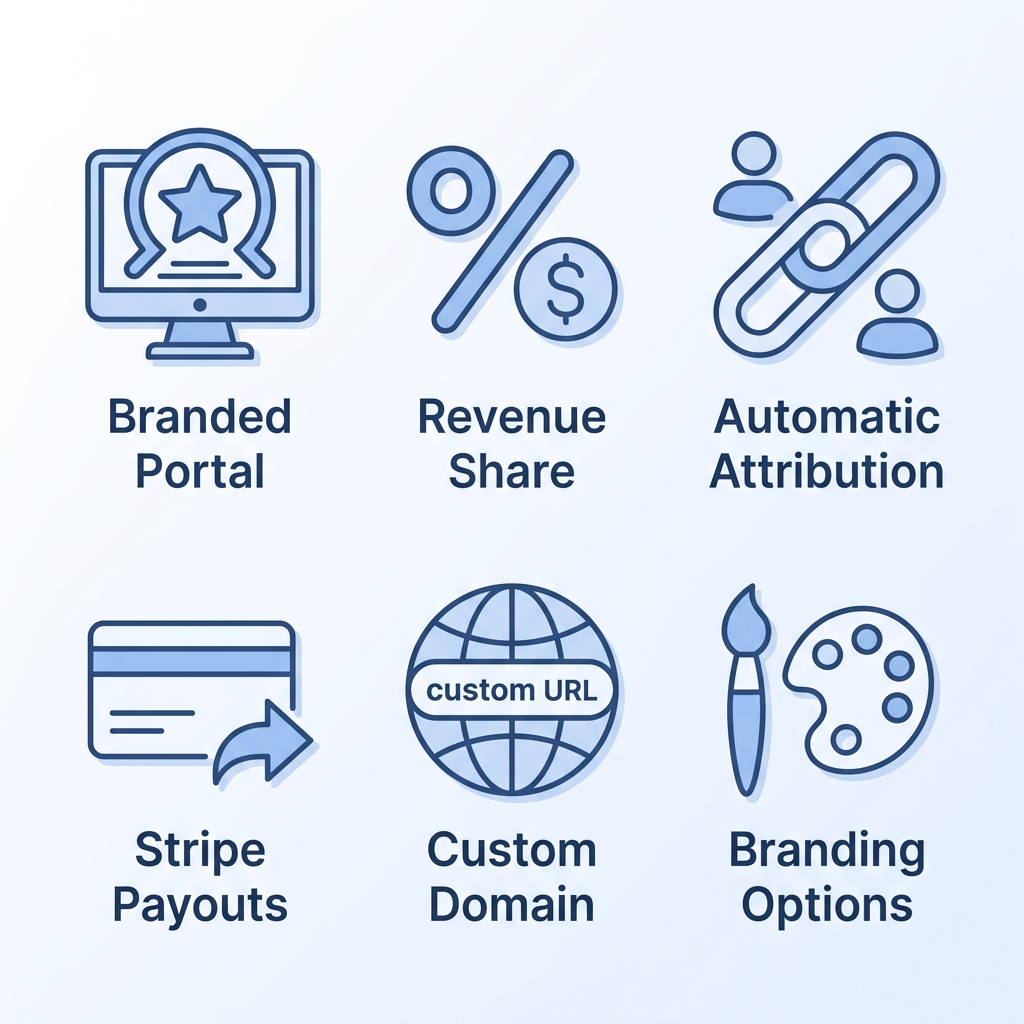
Your portal and payout options have been connected. You can now create specific referral links to promote via different channels and start tracking the growth of your network.
Step 3: Create Your Unique Referral Code or Link
Once the setup of the portal is complete and you have finished enabling referral tracking in the settings, you will want to go ahead and obtain the ID that can be used to distribute it. On the dashboard page, there should be something like ‘Create Referral Code’ or ‘Generate Referral Link’.
- The portal offers two identifier types: a customizable alphanumeric code and a direct URL with embedded tracking parameters.
- Navigate to the “Referrals” or “Campaign Tools” section and use the “Generate New” button to create your identifier.
- The referral code can be edited later, while the referral link is auto-generated and connected to our analytics.
- Each identifier includes a copy-to-clipboard option; test the link before distributing.
- Regenerating a code or link invalidates the previous one, so only regenerate when necessary and update any printed or shared materials.
You've got your code or link in hand; now review the message and incentive to encourage recipients to use your code or link.
Step 4: Craft Compelling Referral Messages and Incentives
To maximize engagement, we recommend crafting a message that feels personal and effortless to share. Start with a greeting that references your actual relationship—"Hi Alex, as a fellow freelancer"—so the recipient knows this isn't a mass blast. Keep the tone authentic and avoid overt sales language; a genuine recommendation carries more weight than a polished pitch. Briefly explain why you're reaching out, mention the referral link, and state the benefit the recipient will receive, such as a discount or a free month of service. End with a clear, low-friction call to action like "Tap here to get started."
Our advice when it comes to picking an incentive is to Go for something reflective of what your market likes to do with your product. If they tend to pay extra money for content or access to content, go for non-cash incentives. They're more likely to feel loyal if given free premium access. Meanwhile, a monetary reward can accelerate sign-ups in price-sensitive markets. Once you've decided on each element of both pieces, you'll want to create a simple template allowing you to reuse them going forward.
Step 5: Build a Referral Campaign Template
After finalizing the messaging and incentives, understanding how to build a referral campaign means creating a structured, fillable template that brings all the pieces together.
| Component | Description |
|---|---|
| Campaign Name & Dates | A descriptive title and start/end date that define the campaign period and create urgency. |
| Eligibility Criteria | Define who qualifies—existing customers only—and set a clear limit (e.g., one referral per person per campaign). |
| Tracking Method | Specify the unique referral link, promo code, or dedicated landing page used to track referrals. |
| Referral Message Templates | Provide ready-to-copy messages for email, social media, and WhatsApp so referrers can share with minimal friction. |
| Promotion Checklist | List every channel where the campaign will be promoted, such as the website, email signature, social feeds, and in-app banners. |
With this template completed, now you can take the steps required to get your referral program launched in all of the channels that have been selected.
Step 6: Promote Your Referral Campaign Across Channels
To get affiliate business, push all marketing through your unique branded portal, which is the central piece of equipment in hashtag.org’s reseller program that tracks all new sign-ups as affiliate referrals. Ensure any links you send people point to your portal so signups will be recorded for later attribution.
- Social media: Drop your portal link into posts on LinkedIn, Twitter, and Instagram to reach audiences interested in revenue sharing.
- Email newsletters: Include the portal link in email communications to invite subscribers to join your affiliate network.
- Website banners: Add a banner on your site that directs visitors to your branded portal.
Share the portal with anyone you want to be an affiliate. New users will sign up via this link and become affiliated users. They will earn a percentage of revenue from #name sales and from their network's activity, as defined in our reseller program. Make sure that you follow your campaigns over time and continually improve upon your techniques for expanding your affiliate base.
Step 7: Monitor Performance and Optimize
After you've launched your referral marketing campaign, it's time to monitor its success in order to improve performance based on the data that is collected. We suggest that all companies begin collecting this information immediately: amount of referral traffic, how many referrals become new users (signup conversion), customer acquisition cost, and referral share rate.
Make sure to implement specific campaign tracking prior to launching anything. Using UTM parameters and dedicated landing pages will allow you to divide up your data according to which sources and channels were used. Be sure to review these on either a weekly basis or bi-weekly in order for any problems to be noticed as soon as possible.
Try out different referral rewards, calls-to-action, and messaging to determine which combination results in the highest level of engagement from participants. Utilize analytical software such as Google Analytics or your own referral program interface for insight into the collected metrics.
Optimizing your ads can be a continual effort where you adjust incentives, refine who sees them and update the actual ad based on what you learn. The following sections explain some common obstacles that could arise when optimizing your campaigns and possible solutions for those problems.
Troubleshooting Common Referral Campaign Obstacles
For example, referral campaigns can encounter obstacles with branding, attribution, and payouts. But our partner program includes tools to address them quickly, resolving these issues without external intervention. This keeps your campaign on track and prevents revenue delays.
- If your branded portal doesn't reflect your visual identity, use the customization options within our partner dashboard. Set a custom domain and update the logo, colors, and favicon to match your brand. A consistent look builds trust with visitors and encourages more sign-ups.
- When new sign-ups don't appear as affiliates, verify that users are accessing your unique portal URL. Automatic attribution happens only when someone creates an account after clicking your personalized link—we handle the tracking behind the scenes. Remind contacts to use that link to ensure they join your network.
- If payout timing raises concerns, check that your Stripe Connect setup is complete and your bank information is accurate. Our built-in Stripe integration processes payouts automatically once your account is verified. Review the Payouts tab to confirm scheduled transfers and resolve any verification flags.
- Low portal traffic often results from limited promotion. Share your unique link across email signatures, social bios, and content posts to drive visits. With broader exposure, our attribution system will link every new sign-up that arrives through the link to your account permanently.
With this in mind, once you solve all those issues, you will be able to launch and grow your campaign. Thanks to our platform, we handle attribution and payouts reliably, so you can focus on growing your network.
Frequently Asked Questions
How to prepare a referral?
Prepare a referral by first generating your unique referral link from the hashtag.org dashboard. Then craft a personal message that begins with a relationship-specific greeting, explains why you are referring, and clearly states the recipient's benefit, such as a discount. Keep the tone authentic and include a direct call to action, like 'Tap here to get started'.
How to make a referral code?
On hashtag.org, make a referral code by navigating to the 'Referrals' or 'Campaign Tools' section of your dashboard and clicking 'Generate New'. The platform offers a customizable alphanumeric code that you can edit later. Once created, use the copy-to-clipboard option and test the link before distributing it.
What should be included on a referral?
A referral should include a personalized greeting that references your relationship, an authentic explanation of why you are reaching out, the unique referral link or code, and a clear statement of the benefit the recipient will receive, such as a discount or free month. End with a low-friction call to action like 'Tap here to get started' to encourage immediate sign-ups.
How to build a referral campaign template
To build a referral campaign template, create a structured document that includes five components: a campaign name with start and end dates, eligibility criteria defining who can participate, the tracking method such as a unique link or code, ready-to-copy referral message templates for different channels, and a promotion checklist listing every channel for distribution. This template brings all campaign elements together for consistent execution.
Launching Your AI-Powered Referral Campaign
We have got your back when you want to know how to build a referral campaign with Gigi. Create your own branded portal and have each new signup linked directly to your affiliate account. This will be your source of income as you earn commission on any #name purchases or activity in your networks from people you refer, with all funds processed safely by Stripe Connect. You could even link your own domain name and give it some branding.
Get started now by visiting our reseller join page—no complex setup required. Please note our service is provided “as is” without warranties; AI-generated content may be inaccurate, so verify before relying on it. We do not provide professional legal, financial, tax, or medical advice. No specific search rankings, traffic, leads, or revenue are guaranteed, and crypto features carry risk. Launch your portal today and start building a revenue-generating referral network.
Launch Your Referral Campaign
Now that you have a complete roadmap for building a referral campaign, the final step is to put your strategy into action. Your unique branded portal on hashtag.org will automatically attribute new users and track every referral. With Stripe Connect, your commissions from sales and network activity are paid out securely and automatically. Customize your portal with your own domain and branding to create a seamless experience for your partners. Start with the Partner tier to unlock 40% revenue sharing and full customization features. Visit the reseller join page to set up your portal in minutes and begin earning from your referral network. Our support team is available to help you through the setup process.